Race Day App Setup for Runners: How RunMate Pro + SunUp Work Together

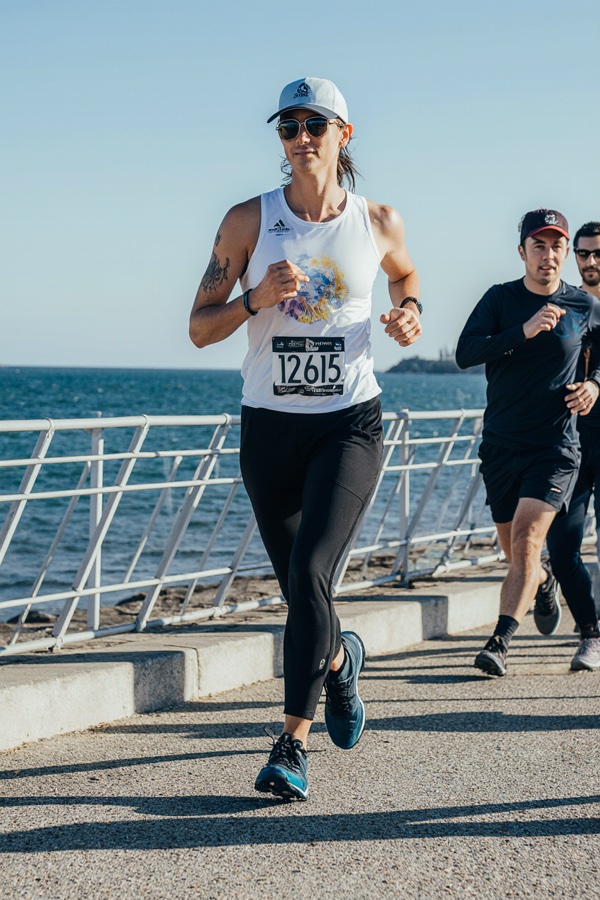
I’m co-directing the Bronte Harbour Classic 5K this June. Race day is June 21, 2026 — Father’s Day, 8:00 AM, Bronte Harbour Park in Oakville.
That’s a flat, fast, waterfront course. Zero shade. Lake on one side. Paved path baking in the morning sun.
And every year — well, this is the inaugural event, but I’ve been running and co-leading Bronte Runners long enough to know what happens at summer waterfront races — runners show up with the wrong shoes, beat-up gear, and sunscreen they applied in the car five minutes before the gun goes off.
I built two apps that solve two different parts of this problem. Neither of them is complicated. Together, they cover the things most runners miss.
Here’s the setup.
The Problem Most Runners Don’t Catch Until It’s Too Late
Race preparation advice is everywhere. Carb loading. Sleep. Don’t wear new shoes. Stay off your feet the day before.
Good advice. None of it covers two things that quietly wreck a lot of race days:
-
Worn-out shoes — Runners often track their own mileage loosely, if at all. They know they’ve run “a lot” in a pair of shoes, but not exactly how much. Past 700 km, a shoe’s cushioning is gone whether or not it looks it. You don’t feel the breakdown until you’re limping through a post-race festival.
-
UV exposure — A 5K takes 25–40 minutes for most recreational runners. On June 21 — the longest day of the year — the UV index in Oakville will be 8 to 9 by race time. The course runs along the water. UV reflects off the lake. There’s no shade. Most runners apply sunscreen once, don’t reapply, and spend the next three hours at an outdoor festival wondering why they feel like they got a second-degree burn.
RunMate Pro handles the first problem. SunUp handles the second.
RunMate Pro: Know Your Gear Before Race Day
RunMate Pro is a GPS running app built around one idea — that your data should work for you, not against you.
The feature that matters most heading into a race is shoe tracking.
The Shoe Mileage Problem
Most runners have a rough mental number for how much they’ve run in a pair of shoes. “Maybe 500K? I bought these in January…” That’s not tracking. That’s guessing.
RunMate Pro logs mileage automatically to whichever shoe you assign to each run. Every run. You can track up to 20 pairs — which matters if you rotate between a training shoe, a race flat, and a recovery shoe like most runners should.
Set a lifespan target for each shoe (most road running shoes are good for 500–800 km depending on the model and your weight). RunMate Pro alerts you when you’re approaching the limit. You never show up to a race on dead cushioning.
For the Bronte Harbour Classic, this matters more than it sounds. It’s a paved course, flat but hard underfoot. You want responsive cushioning, not a shoe that’s compressed past the point of return. Check your mileage now. If you’re racing in shoes you’ve been training in since the fall, open the app.
We’ve written a full breakdown on this: When to Replace Running Shoes: The Complete Guide.
GPS and Pace Tracking for Race Prep
RunMate Pro tracks GPS, pace, distance, elevation, and splits. Nothing you haven’t seen before — but with one key difference. Your data stays on your device. No account. No cloud sync. No one selling your run data to a health insurance company. It’s yours.
For race prep, the practical use is simple: use RunMate Pro on your training runs in the weeks before BHC to dial in your target pace. Run the Bronte waterfront path if you’re local. The race course is the same pavement you’ve been training on.
Injury Prevention Built In
RunMate Pro includes injury prevention guides covering the most common running injuries — shin splints, IT band syndrome, plantar fasciitis, runner’s knee. Each guide includes evidence-based taping techniques using TapeGeeks kinesiology tape.
If you’re heading into race week with anything nagging, check the guides before you decide whether to tape up or back off. Pre-race is not the time to push through something that needs two more days of rest.
The kinesiology taping guide goes deeper: Kinesiology Tape for Runners: When and How to Use It.
SunUp: The App Most Runners Don’t Know They Need
SunUp by GearTOP is a UV safety app built specifically around how different people respond to sun exposure differently.
Here’s the thing about UV advice: “wear sunscreen” is almost useless as guidance because it treats everyone the same. A fair-skinned runner with red hair and a darker-skinned runner with South Asian heritage have completely different safe exposure windows. Generic advice covers neither of them well.
SunUp personalizes the calculation. You set your Fitzpatrick skin type (the dermatological scale from Type I to Type VI), your location, and the app pulls the real-time UV index to give you your estimated safe exposure time. Not a generic number — yours.
Why This Matters on June 21
The Bronte Harbour Classic starts at 8:00 AM on June 21 — the summer solstice. UV index in Oakville that morning will likely be 6–7 at race start and climb to 8–9 by 10 AM. The post-race festival runs until mid-afternoon.
The waterfront course makes it worse. Water reflects UV. You’re not just getting sun from above — you’re getting it bouncing off Lake Ontario from the side. The race day essentials guide on the BHC website notes this specifically: “very little shade” and UV reflection as conditions to plan around.
For a fair-skinned Type I or Type II runner, unprotected safe exposure at UV 8 is under 10 minutes. That’s before the gun even goes off.
How to Use SunUp on Race Day
- Open the app the night before and check the UV forecast for June 21 morning in Oakville
- Set your Fitzpatrick skin type if you haven’t already
- Note your safe exposure window and reapplication timing
- Apply SPF 30+ sunscreen 20 minutes before your warmup — not 5 minutes before the start
- Set a reapplication reminder in SunUp for the festival
That last step trips people up. You finish the race, you’re happy, you grab a drink, you hang around for the post-race festival. Two hours later you’re cooked. SunUp’s push notification reminders solve this. Set it before the race and forget about it.
SunUp is free on the App Store. Takes two minutes to set up.
Race Morning: The Two-App Routine
Here’s what race morning looks like if you’re running the Bronte Harbour Classic with both apps set up:
Night before:
- Open RunMate Pro and check your shoe mileage. If your race shoes are over 650 km, consider whether your training shoes are in better shape.
- Open SunUp, check the UV forecast for June 21, confirm your SPF plan.
Race morning (1.5–2 hours before start):
- Apply sunscreen. Not at the car. At home, 20 minutes before you leave.
- Set your SunUp reapplication reminder for the festival.
At the race:
- RunMate Pro for your warm-up run if you want GPS data on your pre-race jog. Or just leave it — the race has chip timing, you don’t need RunMate Pro during the race itself.
- SunUp’s job is done. The app already told you what to apply. Now just run.
Post-race:
- RunMate Pro: log the race as a run, assign it to your race shoes, note the mileage.
- SunUp reminder fires. Reapply. Enjoy the festival.
That’s it. Two apps, maybe 10 minutes of total setup across two days, and you’ve eliminated two of the more common ways race day goes wrong.
About the Bronte Harbour Classic
The Bronte Harbour Classic 5K is an inaugural chip-timed race on June 21, 2026, Father’s Day. It includes a 5K and a Kids 1K Fun Run for ages 2–12, followed by a post-race festival with live music, food, and local vendors.
The course is flat, smooth, and fast — a paved waterfront loop along Bronte Harbour. Great for a first 5K, great for a PR attempt.
I’m co-directing it alongside Charles Sathmary — who you may know as the other co-lead of Bronte Runners, and a former elite Canadian distance runner with times of 2:13 in the marathon and a sub-4-minute mile. Race advisor Greg Pace has been directing the Moon in June Road Race in Burlington for 30+ years.
This race is built by runners, for runners. If you’re in the Halton region, we’d love to see you there.
Registration is open at bronteharbourclassic.com.
FAQ
Do I need RunMate Pro during the race itself?
No. The Bronte Harbour Classic is chip-timed with official results. You don’t need RunMate Pro running during the race. Use it for training runs leading up to the event and for logging post-race data.
What SPF should I use for a summer waterfront race?
SPF 30 is the minimum. SPF 50 is better for a UV 8–9 day with water reflection. Sport formulas (water and sweat resistant) hold up better during a race than regular sunscreen. Apply 20 minutes before activity. Reapply every 2 hours during the post-race festival — SunUp can remind you.
Can I use both apps at the same time on race morning?
They run independently and don’t interfere with each other. SunUp gives you your UV briefing; RunMate Pro tracks your warm-up run. You can have both open. Battery impact is minimal for SunUp since it’s not GPS-based.
Is RunMate Pro available on Android?
Not yet. RunMate Pro is currently iOS only. Android is on the roadmap.
Where can I learn more about taping for a race?
The injury prevention guides in RunMate Pro cover the most common running injuries with taping instructions. For product-specific guidance, TapeGeeks has pre-cut kinesiology tape designed for common running applications.
Download RunMate Pro (free, no subscription): App Store
Download SunUp by GearTOP (free): App Store
Register for the Bronte Harbour Classic 5K — June 21, 2026: bronteharbourclassic.com
Ready to run smarter?
Download RunMate Pro free on iOS — no account, no ads, no noise.
Download Free on iOS