Best Running Shoe Mileage Tracker App for iOS (2026)

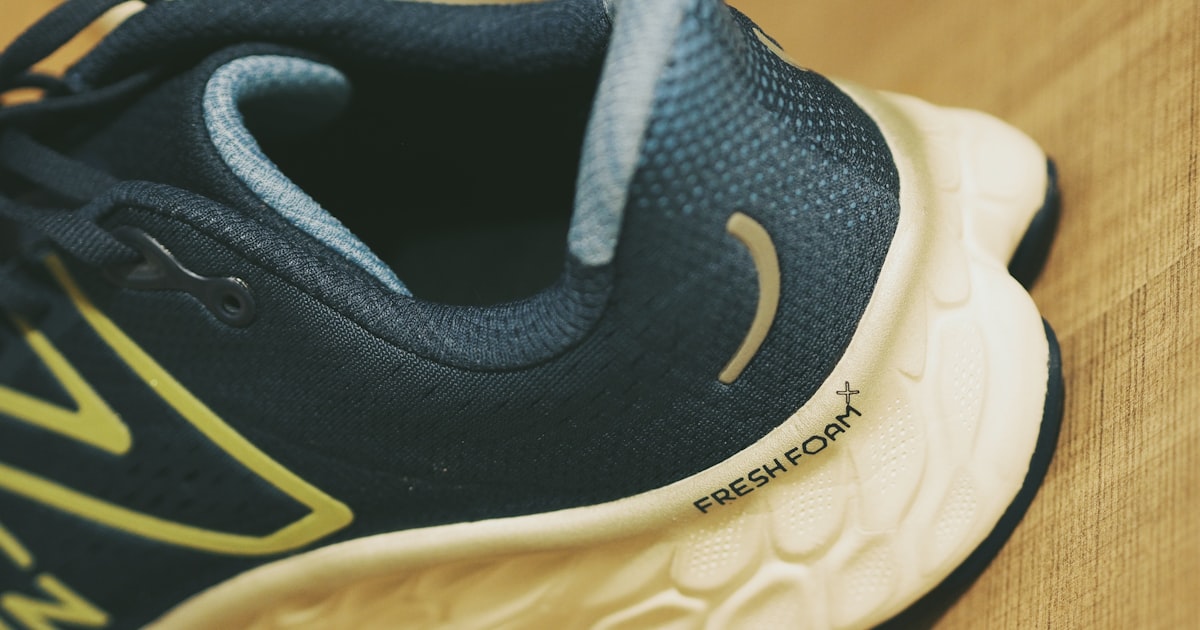
Your running shoes are failing you right now. You just don’t know it yet.
Running shoe midsoles degrade between 400–800 kilometers, regardless of how the outsole looks. The foam compresses, loses its energy return, and stops absorbing impact the way it did when the shoes were new. You can’t see this degradation. You can only track it.
That’s what a running shoe mileage tracker app does. And in 2026, you have more options than ever — from standalone shoe trackers to full GPS running apps with built-in shoe management.
Here’s an honest comparison of the best options for iOS runners.
The Fundamental Problem With Most Shoe Tracker Apps
Before the comparison, it’s worth understanding a split in this app category.
Dedicated shoe tracker apps (ShoeCycle, Shoey, Shoe Health, SHOOZ, WornOut) are built specifically to track shoe mileage. They don’t track your runs — they track your shoes. Most of them pull data from Apple Health or Strava to calculate distance. They work, but they have a dependency: you need a GPS running app already, and you need to remember to sync.
GPS running apps with shoe tracking built in (RunMate Pro, Strava, Nike Run Club) track your runs AND your shoes in a single app. The GPS data feeds directly into shoe mileage totals — no syncing, no manual entry, no third-party dependency.
If you already use Strava and are happy with it, a dedicated shoe tracker might add useful detail. But if you’re choosing your primary running app and shoe management matters to you, the integrated approach is simpler and more reliable.
Comparison: Top Running Shoe Mileage Tracker Apps for iOS
| App | Shoe Tracking | GPS Tracking | Manual Entry Required | Injury Alerts | Price |
|---|---|---|---|---|---|
| RunMate Pro | Up to 20 pairs, automatic | Yes | No | Yes — wear alerts + injury guides | Free |
| ShoeCycle | Unlimited pairs | No | Strava sync or manual | Distance alerts only | Free |
| Shoey | Unlimited pairs | No | Apple Health / Strava | Distance alerts only | Free |
| Shoe Health | Multiple pairs | No | Manual | Distance alerts only | Free |
| SHOOZ | Multiple pairs | No | Apple Health sync | Basic alerts | Free |
| Strava | Basic tracking | Yes | Manual shoe assignment | Distance alerts | Free / $79.99yr |
| Nike Run Club | Basic tracking | Yes | Manual | No alerts | Free |
RunMate Pro — GPS Running App With the Strongest Shoe Tracking
RunMate Pro is a free iOS running app built specifically around shoe mileage management and injury prevention. I built it because I couldn’t find a GPS running app that actually made shoe tracking a first-class feature.
How the shoe tracking works:
- Add your shoes in the app — set a mileage target for each pair based on shoe type and your weight
- After every run, the GPS distance automatically applies to whichever shoes you used
- The app shows wear percentage at a glance — you can see every pair at once
- When a pair approaches its limit, you get an alert before you hit the danger zone
- The built-in Runner’s Guide connects shoe wear directly to injury risk for 6 common running injuries
What makes it different from dedicated shoe trackers:
With ShoeCycle or Shoey, you track shoes. With RunMate Pro, you track your runs and your shoes in the same place. No syncing required. No Strava dependency. No manual entry. Every kilometer you run is automatically logged to the right pair.
You can manage up to 20 pairs simultaneously — useful for runners who rotate multiple shoes across different surfaces or training phases.
Limitations:
- iPhone only, no Android
- No Apple Watch app yet (in development)
- No cloud backup — data lives on your device
See all RunMate Pro shoe tracking features →
ShoeCycle — Best Dedicated Shoe Tracker for Strava Users
ShoeCycle is one of the oldest dedicated shoe tracker apps in the App Store and the most popular among committed Strava users.
What it does well:
- Strava integration is seamless — your Strava runs automatically update shoe mileage totals
- Handles an unlimited number of shoes
- Clean interface focused entirely on shoe management
- Completely free
Limitations:
- No GPS tracking — it’s purely a shoe tracker, not a running app
- Requires Strava (or manual entry) to log distances
- No injury context — it tells you when shoes hit mileage limits but doesn’t explain why that matters or what injuries to watch for
- If you decide to leave Strava, you lose the automatic data feed
Shoey — Best for Apple Health Users
Shoey takes a different approach: it pulls your running data directly from Apple Health, bypassing the need for a specific GPS app.
What it does well:
- Works with any running app that writes to Apple Health — Strava, Nike Run Club, RunMate Pro, or the built-in Workout app
- Privacy-focused design (no account required)
- Clean, minimal interface
- Free with no ads
Limitations:
- Apple Health sync can have gaps if your workout app doesn’t write consistently
- No GPS tracking built in
- No injury prevention content — purely a mileage counter
- Automatic shoe assignment requires manual setup per run type
Shoe Health and SHOOZ — Solid But Limited
Both Shoe Health and SHOOZ are well-designed dedicated trackers with similar feature sets: manual or Health-synced mileage, multiple shoe management, and alerts at your target distance.
Neither adds meaningful injury prevention context or GPS tracking. They’re functional tools, but they don’t go beyond the number.
Strava — Shoe Tracking That Almost Works
Strava has shoe tracking, but it’s an afterthought.
You add shoes in settings, assign them to runs manually (or set a default), and get a notification when you hit a distance threshold. That’s it. There’s no wear percentage view, no per-shoe breakdown at a glance, no injury guidance. If you’re already paying for Strava, it’s functional. But it’s not designed for runners who take shoe rotation seriously.
For $79.99 a year, you’d expect better. The shoe tracking feature has barely changed in years.
Which App Should You Choose?
You want one app that does everything (GPS + shoe tracking + injury prevention): RunMate Pro. It’s free, no ads, and shoe management is a core feature — not an add-on.
You’re already on Strava and just want better shoe tracking: ShoeCycle. It syncs with Strava automatically and adds nothing to your monthly cost.
You use multiple GPS apps and want shoe tracking that works across all of them: Shoey. It reads from Apple Health, so it doesn’t care which app you run with.
You want to track shoes without any app dependency: The built-in Notes app and a spreadsheet. I’m not joking — plenty of runners track this in a simple log. Not automated, but it works.
Why Shoe Mileage Tracking Prevents Injury
This is worth explaining, because a lot of runners treat shoe replacement as a luxury rather than a necessity.
Studies consistently show that running in worn-out shoes increases ground reaction force at the heel by 8–12% compared to fresh shoes. That force increase accumulates across every stride. Over the course of a training cycle, it contributes directly to stress fractures, shin splints, plantar fasciitis, and knee problems.
The 400–800km replacement window isn’t arbitrary. It’s based on material science testing of EVA foam compression — the material in virtually every running shoe midsole. Once the foam has compressed beyond a certain point, it stops providing meaningful protection.
The runners who get injured are usually the ones wearing the same pair for 18 months and wondering why their knees hurt.
I wrote a full guide on when to replace running shoes if you want the detailed breakdown. And the RunMate Pro Runner’s Guide covers how shoe wear connects to specific injuries like IT Band Syndrome and Plantar Fasciitis, with prevention and taping guidance from TapeGeeks.
The Bottom Line
For iOS runners who want automatic shoe mileage tracking with zero friction, RunMate Pro is the only option that combines GPS run tracking, shoe management, and injury prevention in a single free app.
If you’re already committed to Strava and want to add dedicated shoe tracking, ShoeCycle is the right companion app.
What it isn’t complicated: know how many kilometers are on your shoes, replace them before the foam dies, and you’ll prevent a significant percentage of running injuries before they happen.
Greg Kowalczyk is the developer of RunMate Pro and co-founder of TapeGeeks. He co-leads the Bronte Runners in Oakville, Ontario.
Ready to run smarter?
Download RunMate Pro free on iOS — no account, no ads, no noise.
Download Free on iOS